
Structured Cabling & Passive Work
Network cabling, faceplates, rack build and cable management — neat, labeled and ready for growth.
Missed calls, crackling lines and meeting rooms where nobody can get the screen to work cost more time than most businesses realize. Arqi Networks provides IP telephony and video conferencing solutions across Pakistan: IP PBX phone systems, desk phones and meeting room equipment that are simple for staff to use and easy to manage.
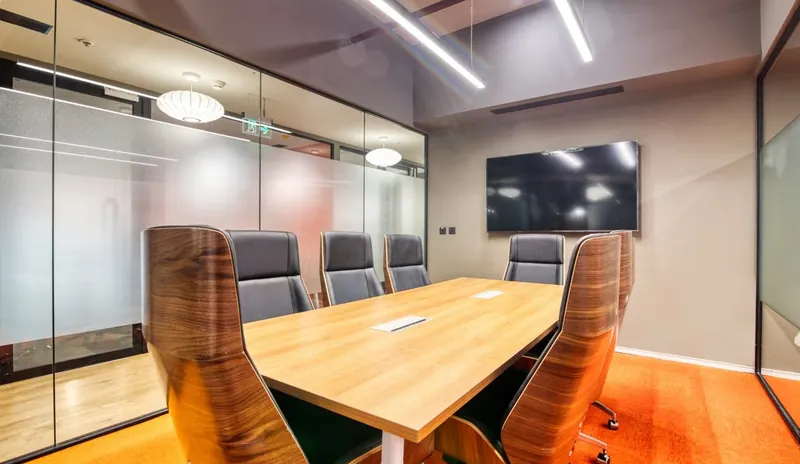
We design the phone system around how your business handles calls, with extensions, call routing, auto-attendant menus, call recording and links between branches. For meeting rooms, we install cameras, microphones, speakers and displays sized to the room, so remote participants can see and hear everyone.
Voice and video are sensitive to network quality, so we prepare the network as part of the project with PoE switching, voice VLANs and quality of service. See our structured cabling and enterprise Wi-Fi services.
One system for calls, meetings and branch-to-branch communication.
A business IP PBX with extensions, ring groups, call queues, voicemail and an auto-attendant that directs callers to the right team.
Desk phones powered over PoE, plus softphone apps for laptops and mobiles so staff can answer their extension wherever they work.
Extension-to-extension calls between head office, branches and remote staff, carried over your own network or a secure VPN.
Cameras, microphones, speakers and displays matched to the size of each meeting room and to the meeting platform you use.
Calls recorded for quality and training, with reports that show call volumes, missed calls and response times.
Move from an analog exchange to IP, add extensions and branches, and get 24/7 support when something goes wrong.
Poor call quality is usually a network problem. We check bandwidth and cabling, place phones on a dedicated voice VLAN, configure quality of service so that calls get priority, and use PoE switches so phones do not need separate power adapters.
The phone system can connect to your telephone lines through SIP trunks or gateways, depending on what your telecom provider offers. We confirm the options with you before designing the system.
Designed around how your business actually handles calls and meetings.
We map how calls arrive, who answers them and which rooms need video conferencing.
You receive a system design, equipment list and quotation.
We prepare the network, install the equipment and configure extensions and call flows.
We train your staff and administrators and provide 24/7 support.